


Although I use the FT3D as my primary handheld, the FT2D is far from ready for the scrap heap. And certainly not for the cupboard!
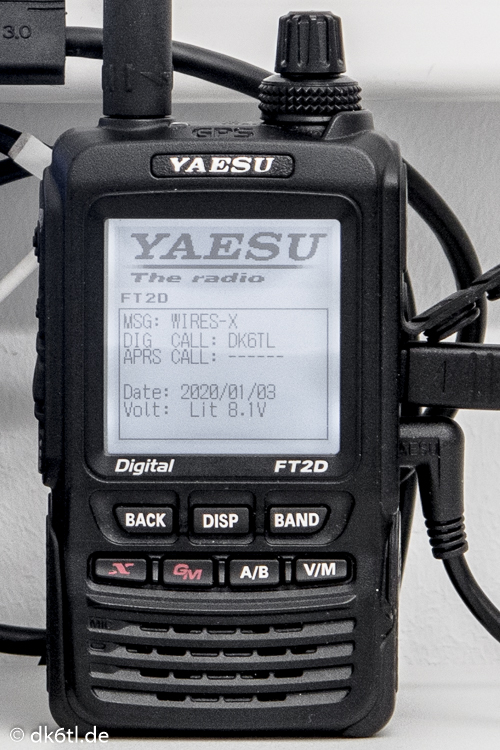
With a firmware update, YAESU made it possible to use the radio to set up a so-called PDN (Portable Digital Node). That is exactly the job the Japanese manufacturer’s former flagship handheld now does for me.
What is a PDN?
Originally, you could only connect to the wide (amateur radio) world via a WIRES-X* capable repeater. Of course that still works today! You connect to a repeater within radio range and through it establish a link to another repeater somewhere in the world.
That is certainly exciting, but it can sometimes cause “irritation” among other hams who suddenly see “their” repeater being “misused”.
This is where the PDN comes in. Put simply, it lets you create your own personal access point to the wide world, so you no longer have to “burden” the local repeater.
But there is another brilliant advantage:
As long as you have an internet connection, the Portable Digital Node can be set up anywhere in the world within a few minutes. At home, in a hotel, at friends’, in the car, at the club meeting… the possibilities are endless. Last year I travelled several times (also abroad) and had to stay in hotels, among other places. Each one had internet access, but only one was within range of a repeater. Luckily I had my PDN with me… 🙂
Requirements (as of January 2020):
Internet connection
Windows PC / notebook / laptop / tablet / … with WIRES-X software version 1.530 or later
A suitable radio (FT2D / FT3D / FTM-100D / FTM-400(X)D) with matching firmware
YAESU connection cable
HRI-200 or the registered ID of one of the radios mentioned above
I use the following setup:
Computer: either a Terra PAD 1062 or a Microsoft Surface Pro
Software: WIRES-X ver. 1.530
Radio: FT2D with registered ID, firmware MAIN: ver. 3.10, SUB: ver. 2.01, DSP: ver. 4.31
YAESU connection cable: SCU-19
Operating mode: HRI mode, access point operation**
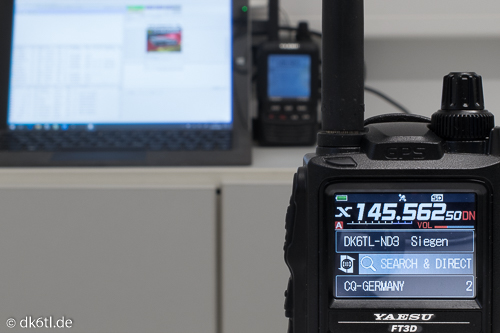
I chose this operating mode because it means I don’t have to sit at the computer or right next to the FT2D. I connect to other repeaters or rooms with my FT3D, which lets me move around freely within radio range of the FT2D – much like working through a “normal” repeater.
Since my PDN runs simplex on 145.56250 MHz, the FT3D has to be set to this frequency as well. Both radios transmit at minimum power, which is perfectly sufficient for use in the house and garden.
As you can see in the photo, I am connected on 145.56250 MHz to my PDN DK6TL-ND3 (in the background). Through it, in turn, there is an internet link to my room CQ-GERMANY.
* WIRES-X = Wide-Coverage Internet Repeater Enhancement System by YAESU
** There are several operating modes, which I will write about at a later date.